

Bulk edit Shopify variants, without the CSV.
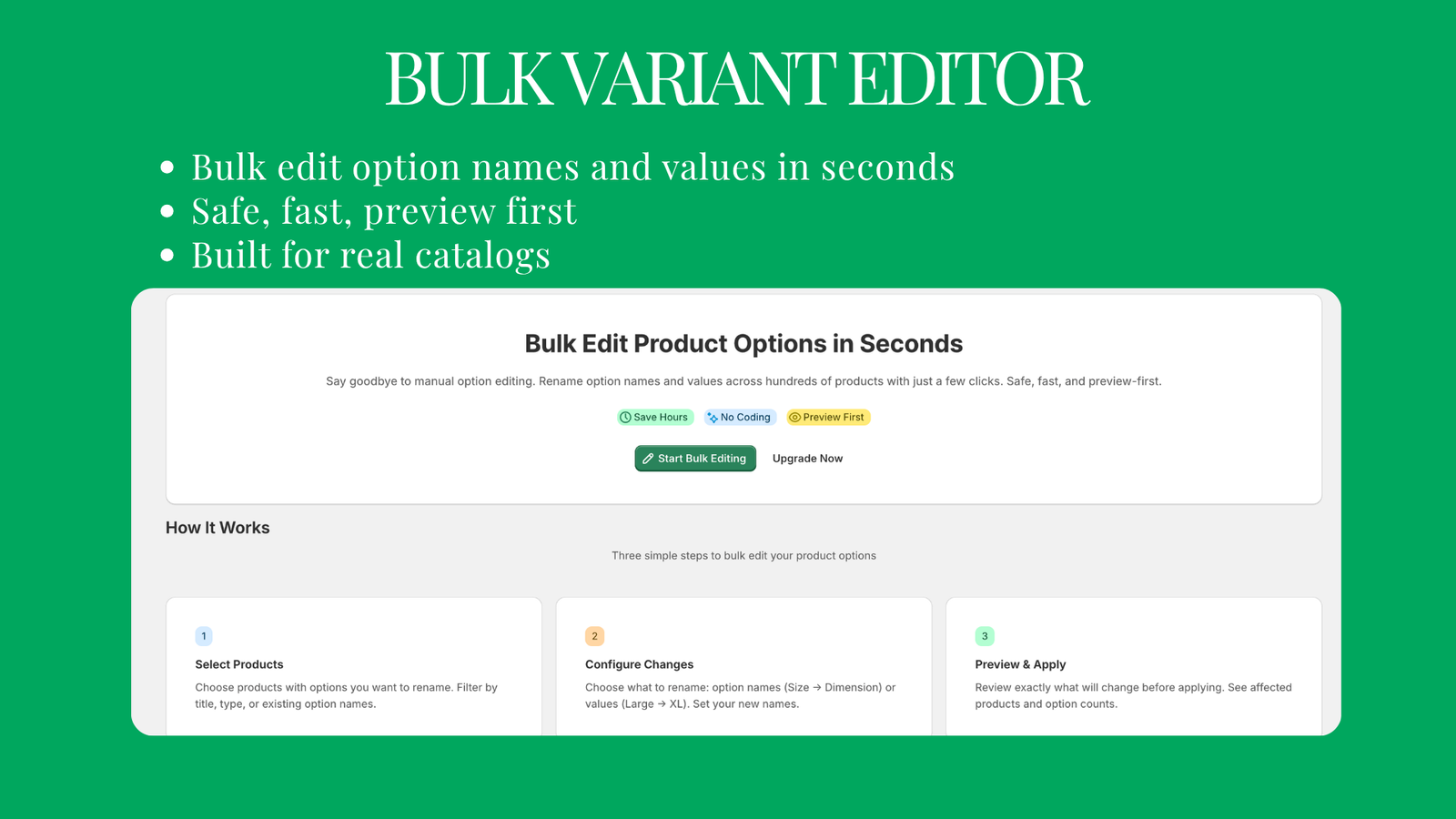
In the Shopify admin, adding an option like Colour to hundreds of products means editing them one by one or trusting a CSV import. Bulk Variant Editor adds options and values across the catalogue, renames and reorders them, and edits prices and tags, with a preview of every change before anything is written.
- 4.5from 8 reviews
- Freeup to 100 products
- $59once, for unlimited
- No CSVand no code
Variant work across the whole catalogue, without the CSV.
For merchants with large catalogues and inconsistent variant naming.
Add variants in bulk
Add a new option like Colour or Material, or new values like XL, to hundreds of products at once. Set stock on every new variant in the same step.
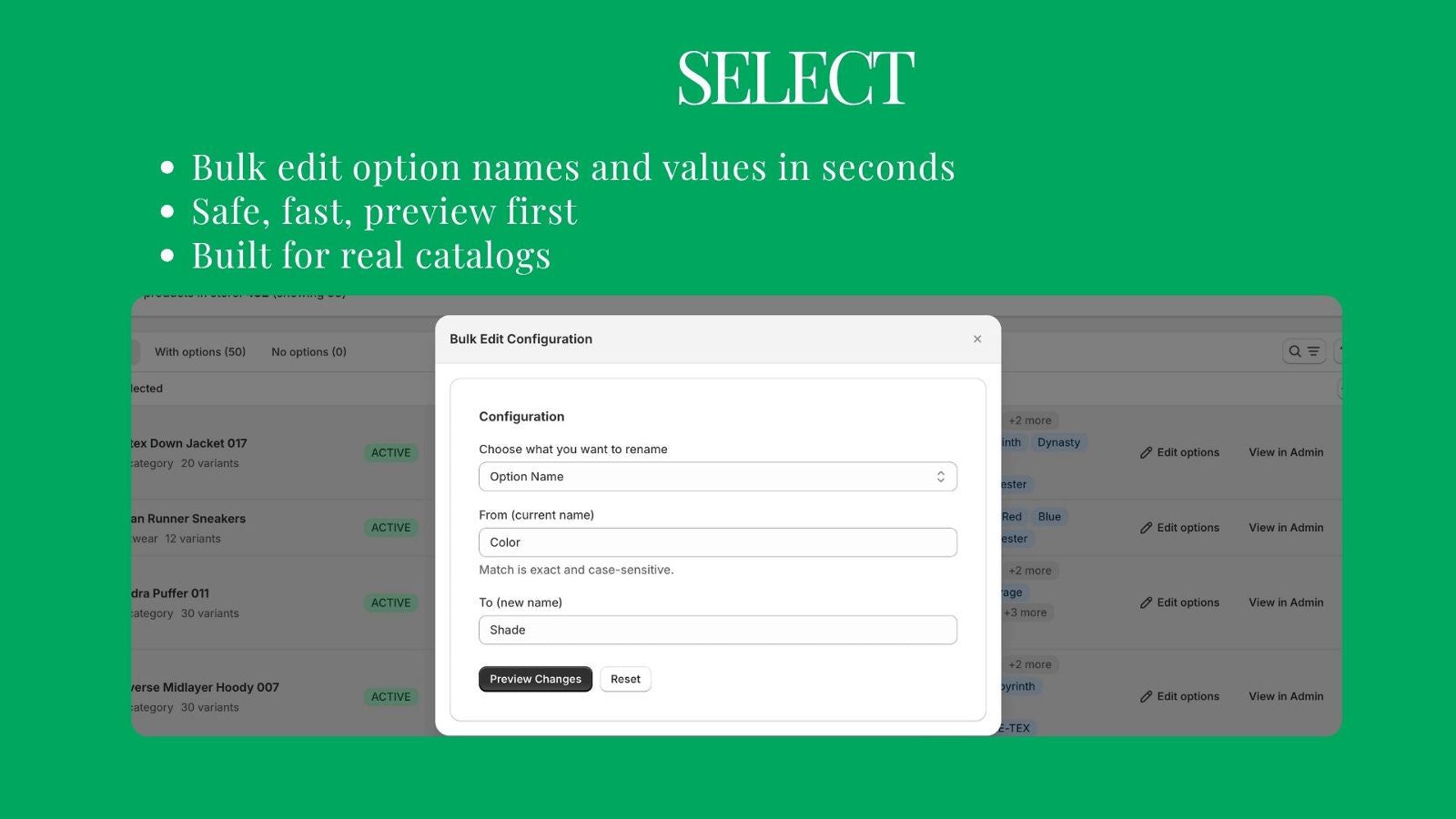
Rename options and values
Turn X-Large into XL or Colour into Color across the catalogue, or rename everything for a rebrand.
Reorder values
Control the order sizes and colours appear in on the product page.
Edit prices and tags
Change variant prices across the catalogue in one operation, and add or remove tags.
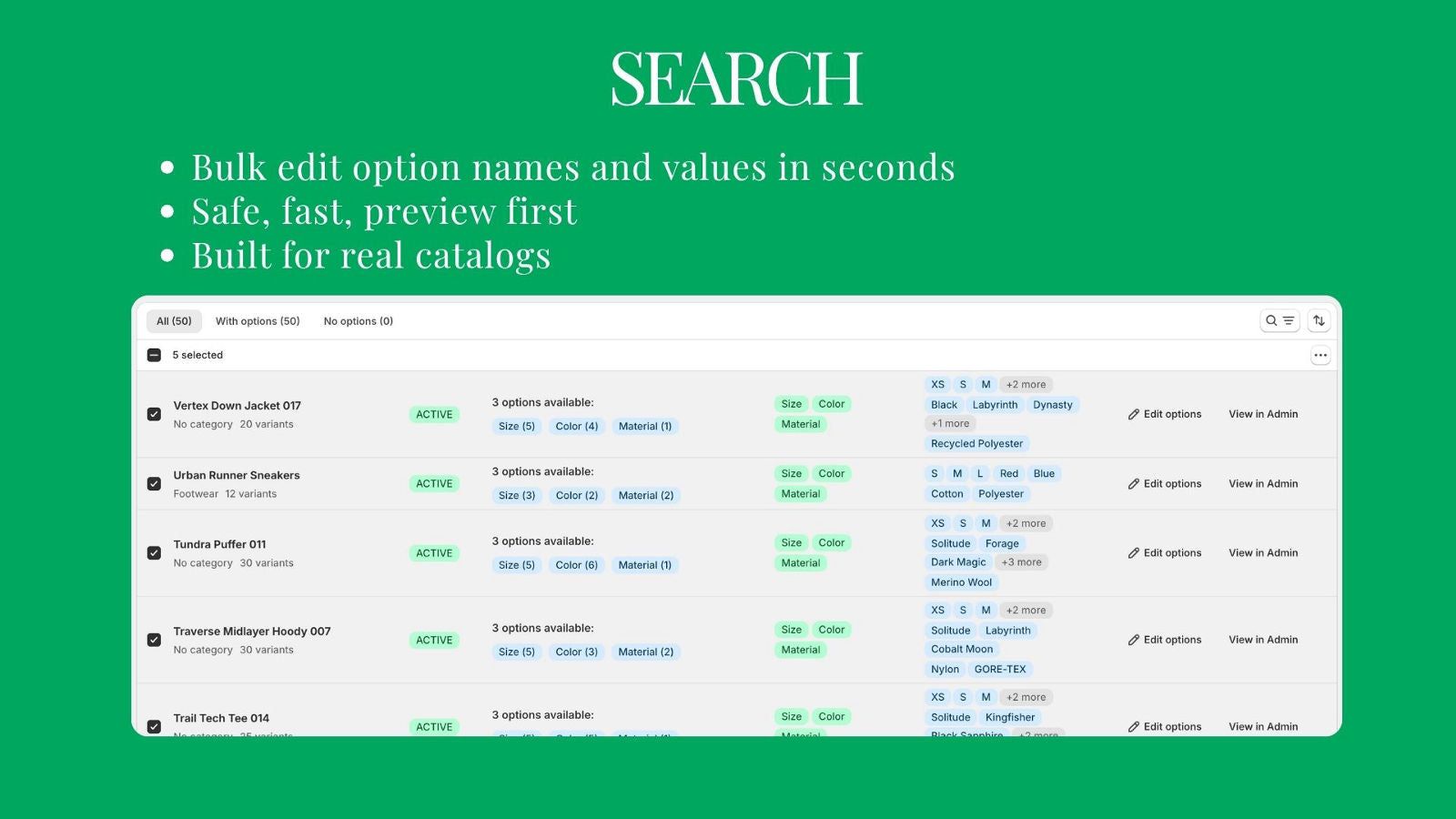
Target the right products
Search and filter by product type, tag, vendor, status or collection, so only the products you mean are in scope.
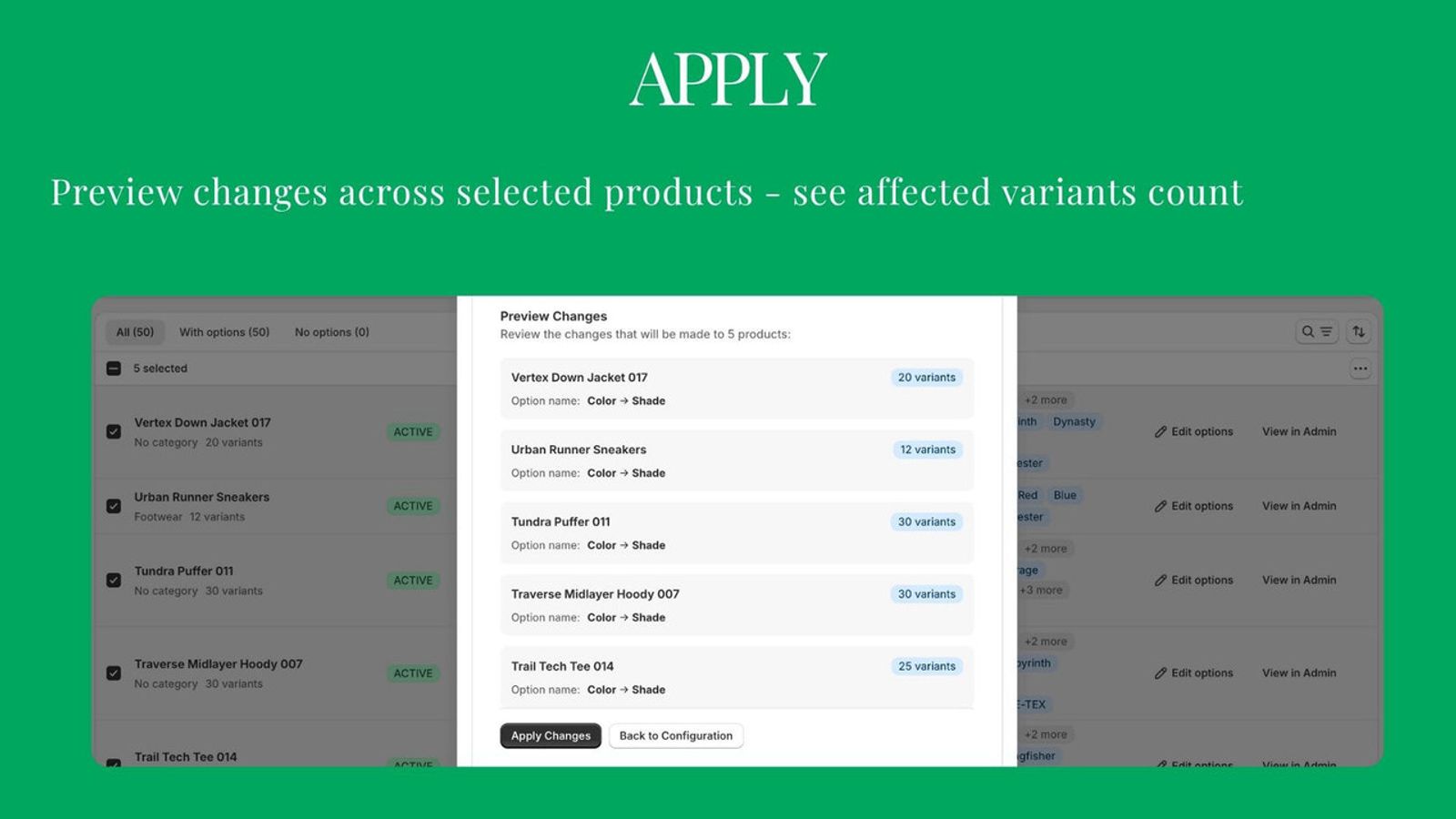
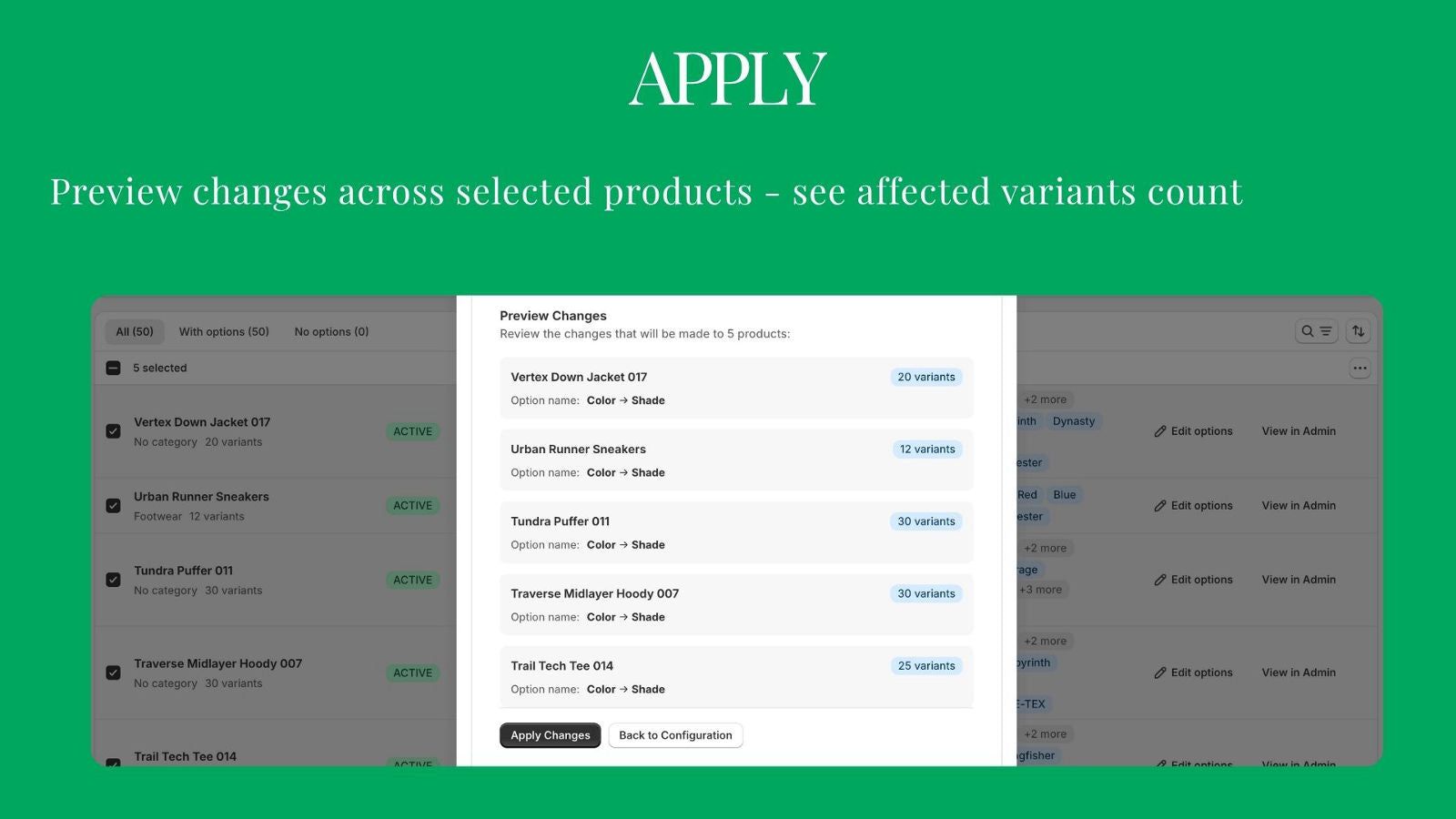
Preview before anything is written
See every change product by product before you apply it. Nothing to undo by hand.
Three steps, all in the Shopify admin.
- Step 01
Select
Search and filter the catalogue down to the products you want to change.
- Step 02
Configure
Add an option or values, rename, reorder, or edit prices and tags.
- Step 03
Preview and apply
Check the result product by product, then apply it in one pass.
What merchants say.
Exactly what I was looking for! Needed to clean up some variant names and it got the job done. Simple and quick
We have a lot of different products and the variant names were all over the place. Used this to standardize everything quickly, the preview before applying is great so you don't have to worry about messing things up
Game changer. Saved us hours of manual work. Being able to bulk rename variant options and values across products directly in Shopify is incredibly useful. Simple to use, fast, and the preview feature helps avoid mistakes. The one-time payment makes it even better. Highly recommended.
I've been testing this app, and I'm impressed. Time is money, and this app has the potential to save a lot of it when working with products in bulk. The free trial made it easy to explore its features before committing. The interface is straightforward, and the preview before applying changes gives extra confidence. On top of that, the developer's response time is outstanding—any questions I've had were answered quickly and professionally. Definitely worth trying if you're looking to simplify bulk product management in Shopify.
Works perfectly and support was prompt and always willing to help. Keep up the great work!
Bought this to help update some variants. Stoked that it worked so well and that I can use it in the future.
Start free, upgrade when you need more.
Every feature is on the free plan. Unlimited removes the 100 product limit. All charges are billed in USD.
Free
Free
- Edit 100 products free, forever
- All features included
- Preview every change before applying
- Search and filter your whole catalogue
- Direct support from the founder
Unlimited
$59 one time
- Pay once, use forever. No subscription
- Unlimited products and unlimited edits
- Everything in Free
001Do I need to export a CSV?
No. Everything happens inside the Shopify admin, with a preview before anything is written.
002Is it a subscription?
No. The free plan covers 100 products, forever, with every feature. Unlimited is $59, paid once.
003Can I add a new option to existing products?
Yes. Add an option like Colour or values like XL across the catalogue, and set stock on the new variants as they are created.
004Which products does a change touch?
Only the ones you select. Search and filter by product type, tag, vendor, status or collection, and the preview lists every affected product before you apply.
005Who answers support?
I do. You write to the person who built it.
Need it to do one more thing?
Tell me what is missing. Repeat requests are how new features get built.
