Analytics & CRO · · 3 min read
Google Analytics now shows where people leave your cart
Since 17 August the Shopify Google & YouTube app sends cart views, cart removals and shipping steps to Google Analytics. What changed and how to use it.
By Nikita Ahapov · Updated
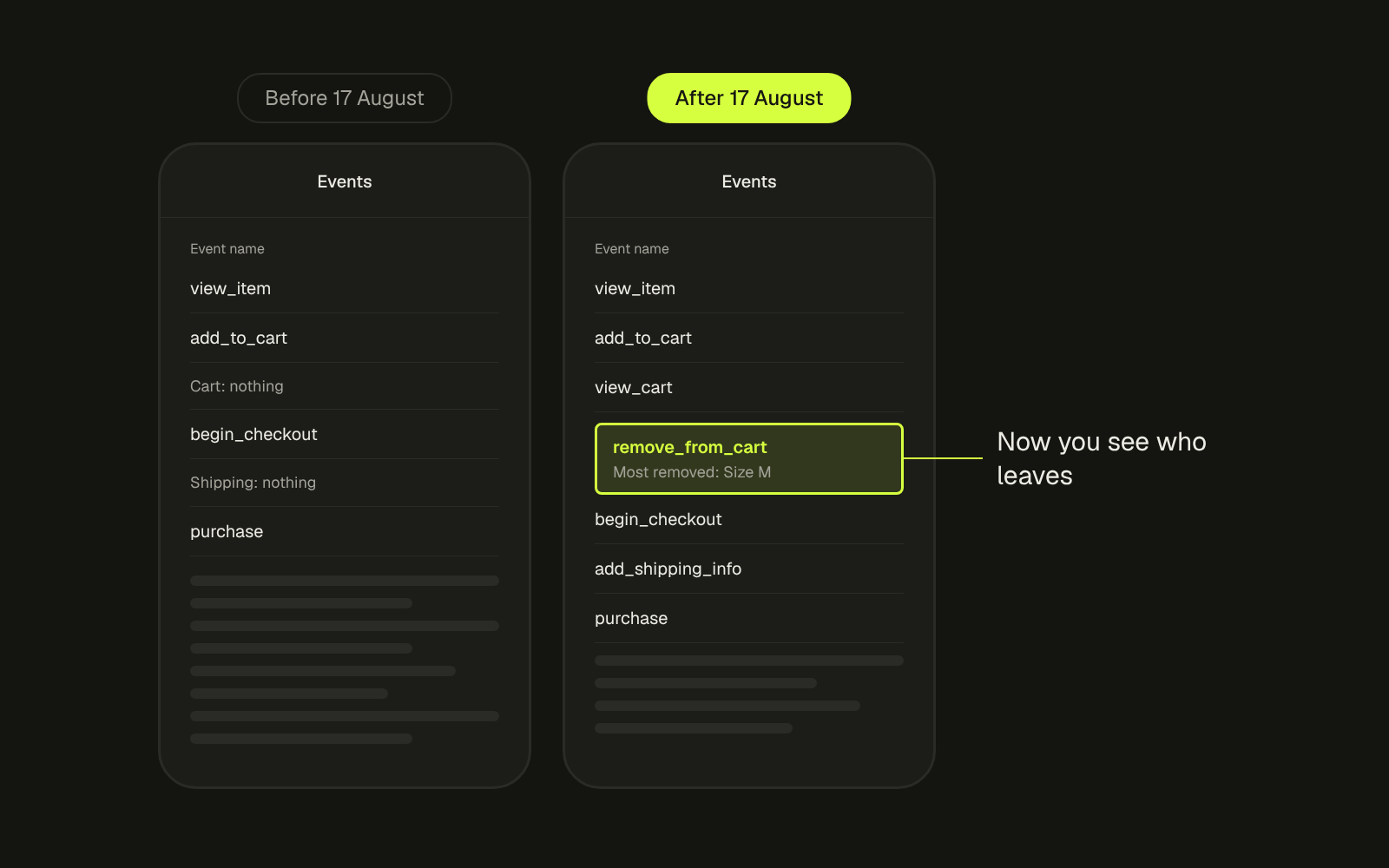
Two of the quietest places people give up on a Shopify store are the cart and the shipping step. Someone removes a product. Someone types their address and never pays. Until this summer, most stores on the standard Google setup had neither moment in their Google Analytics reports.
That changed on 17 August. The Google & YouTube app now sends four events it did not send before, and you did not have to do anything to get them.
What changed
Google’s own help page for the Shopify integration lists the four new events. (Google Analytics Help)
- view_item_list when someone views a collection.
- view_cart when someone looks at the cart.
- remove_from_cart when someone removes items from the cart.
- add_shipping_info when someone provides shipping or address details at checkout.
The same page says new event data is also added to five events the app already collected. Google told merchants about the change by email, and the start date was 17 August 2026. The notice listed no opt in and no setup step. (PPC Land)
Why the new events matter
Before this, the standard setup showed you that someone added to cart, began checkout, and maybe bought. Everything between those steps was a gap.
Now two of the most useful drop off points are visible.
Removing from the cart. A shopper who adds a product and then takes it out was interested and changed their mind. That is a different problem from a product nobody adds at all, and it needs a different fix.
Entering shipping details. Someone who fills in an address and still does not pay has done most of the work. Something after that point stopped them: the shipping price, the delivery time, the payment options.
The part I like most is the variant detail. According to a breakdown of Google’s notice, existing events now carry fields like sku and variant_id. (Spilno) So you stop asking which product gets abandoned and start asking which variant. If one size is removed from the cart far more often than the others, that is a sizing problem, not a product problem. Fix the size guide, not the product page.
How to check your own store
- Open Google Analytics and find your events report. Look for
view_cart,remove_from_cartandadd_shipping_info. If they are there, the new data is coming in. - Compare the counts. How many
add_shipping_infoevents do you have for every purchase? That gap is your shipping step. - To see
skuorvariant_idin reports, register them as custom dimensions. In Admin, under Data display, click Custom definitions, then Create custom dimensions with Scope set to Event. Google says the dimension can take 24 to 48 hours to show up. (Google Analytics Help) - If your developer or an agency added these events before, through Google Tag Manager or a custom pixel, check for doubles. The same cart action can now be counted once by your own tag and once by the app.
Three warnings
Duplicates. Google’s help page says you can use the shopify_event_name parameter to filter the new event data in reports. Use it if you already had your own cart tracking and the numbers suddenly doubled.
Browser based. Littledata’s founder pointed out that only the purchase event is sent server side. The new events run in the browser, so ad blockers and consent banners can cut some of them. (Relevant Audience) Read them as trends, not exact counts.
GA360 cost. If you are on Google Analytics 360, more events can mean a bigger bill. The breakdown above says Google’s notice warns about this, depending on site activity. Check your usage before the holiday traffic.
What I do
On a store audit I now start with three numbers from these events: cart views to checkout, shipping details to purchase, and removals by variant. The first two tell me which step to look at. The third often tells me the fix before I open the theme.
Before you read any of it, clean the traffic. Bots inflate sessions and blur every rate you calculate, so exclude bot traffic first.
If your cart or shipping step is losing people and you want to know why, send me your store and I will tell you where to look.