Checkout · · 4 min read
Shopify post purchase survey for Black Friday buyers
A Shopify post purchase survey asks one question on the thank you page. Set it up before Black Friday and learn which channel brought each order.
By Nikita Ahapov · Updated
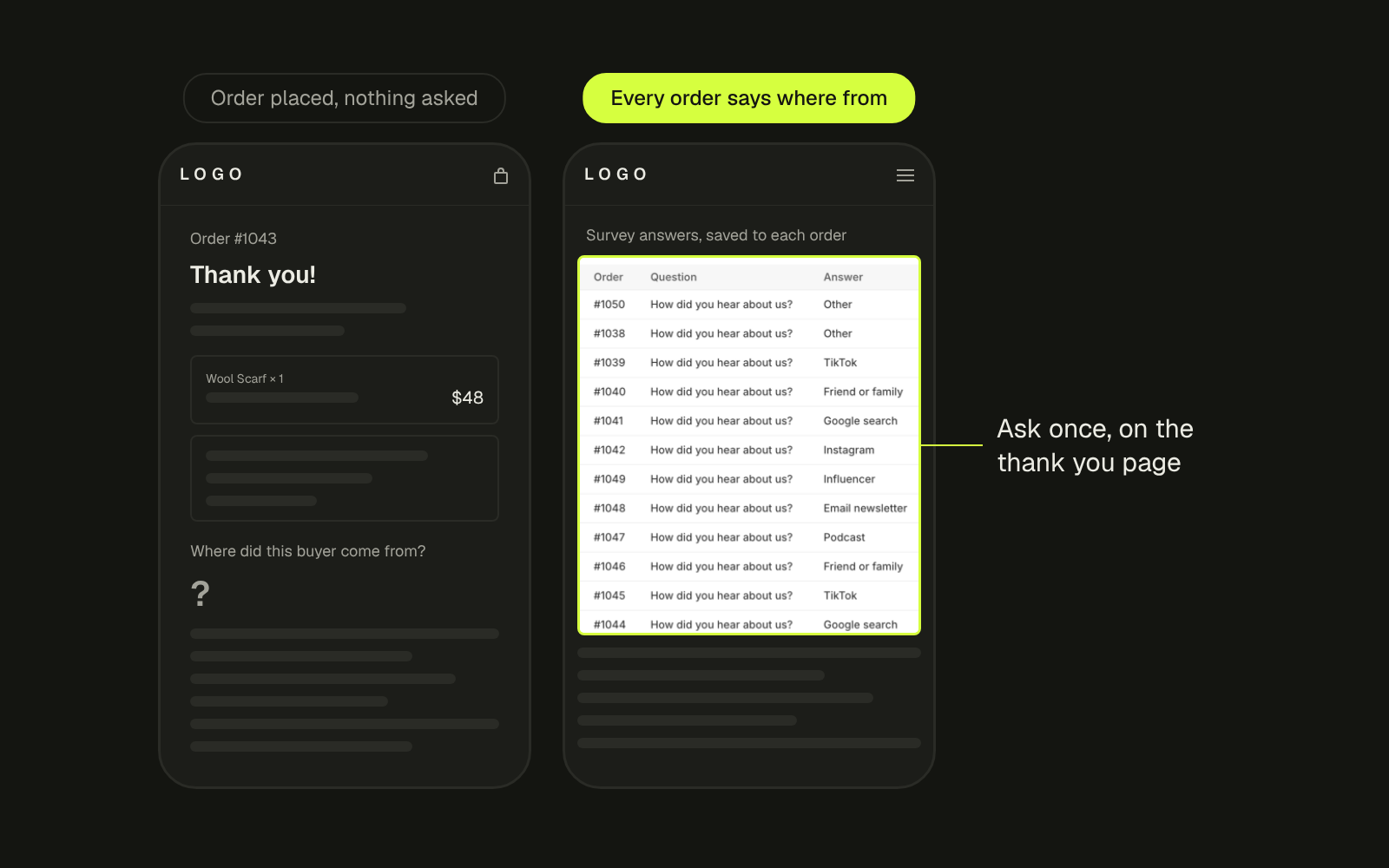
Short answer: a Shopify post purchase survey is one question on the thank you page, such as “How did you hear about us?”, with the answer saved to the order. Shopify does not ship one, so you add it with an app block in the checkout editor. If you want it running before the Black Friday weekend, that is what the survey in PS: Checkout Rules does.
Over Black Friday and Cyber Monday you run ads, emails, creators and a discount code, all at once. Orders come in, and on Tuesday someone asks which of those worked. Your analytics gives one answer, the ad platform gives another, and the buyer who saw a TikTok, then searched your name on Google, counts as Google.
The buyer knows. Ask them.
Why it happens
Click based attribution only sees the last link a buyer clicked. It does not see the podcast, the friend, or the video they watched on another device a week ago. A post purchase survey fills that gap with what the buyer says, which is a different kind of data, not a replacement.
The place to ask is the thank you page. The order is already paid, so the question costs you nothing in conversion. Shopify lets apps add blocks there: apps that customize the thank you and order status pages are available on the Basic Shopify plan or higher, while apps for the information, shipping and payment steps are only for Shopify Plus. (Shopify Help Center) So this works on a normal plan.
How to do it in Shopify without an app
I looked for a built in survey and did not find one. Shopify’s own help page says you add “customer surveys or upsell offers” with post-purchase apps. (Shopify Help Center) Without an App Store app you have two routes.
- Build a custom app. Shopify’s checkout UI extensions have a thank you page target,
purchase.thank-you.block.render, and Shopify lists a post purchase survey as one of its uses. (shopify.dev) The catch: it is a developer project. You build the block, store the answers somewhere, and build a way to read them. Not something to start the day before Black Friday. - Ask by email after delivery. Send the question in your post purchase email flow. The catch: the buyer has to open another email and click through, and the answer is not on the order, so you match it up by hand.
Either way, check where the blocks will go first: Settings, Checkout, then Customize on your checkout configuration opens the checkout and accounts editor, where the thank you page has an Apps sidebar and Add block. (Shopify Help Center)
When an app is the right call
Full disclosure: I built this app. It blocks undeliverable addresses at checkout, and the survey is one of its other jobs.
In PS: Checkout Rules the survey is a block you add at the Thank you step in the checkout editor. It asks one question, with choice, yes or no, or open text answers, an optional follow up, and templates for attribution and checkout clarity. (docs)
- Install the app.
- Open the checkout editor (Settings, Checkout, Customize), switch to the Thank you page and add the survey block where you want it.
- Pick the attribution template, or write your own question and choices.
- Place a test order and check the answer on the order.
Answers are saved on the order, under Additional details, and they also collect in a log you can export as CSV. (docs) That second part is what you use on Tuesday: one export, sorted by answer, next to your sales.
The survey is on the Pro plan, $29.99 a month or $239.88 a year. The free plan blocks PO Box addresses at checkout, which is also worth having before your busiest weekend: how to block PO Box addresses at Shopify checkout.
When you do not need it
If almost all your orders come from one channel, a survey tells you what you already know. The same goes for a store with a handful of orders a week: read the order notes and talk to your buyers. And if you already run a post purchase app for upsells, check first: Shopify allows only one checkout app to add post-purchase features at a time. (Shopify Help Center)
How I would set it up for this weekend
Keep the question short and the choices few. “How did you hear about us?” with the channels you actually spend on, plus Friend or family, plus Other with a text box. Put your biggest channels first. Do not add a second question: the buyer just paid, they are not filling in a form.
Then leave it alone for the whole weekend. Changing choices halfway splits your data in two.
FAQ
Does a post purchase survey work on Shopify Basic?
Yes. Apps that customize the thank you and order status pages are available on the Basic Shopify plan or higher. Only blocks on the information, shipping and payment steps need Shopify Plus.
Where do the survey answers go?
With PS: Checkout Rules they are saved on the order and collected in a log you can export as CSV.
Will asking a question hurt conversion?
The question appears on the thank you page, after payment, so it does not sit between the buyer and the order.
What is the best post purchase survey question?
For attribution, “How did you hear about us?” with your real channels as choices and an Other option. One question gets more answers than three.
Ready for the weekend? Install PS: Checkout Rules on the Shopify App Store. Questions? Write to me.