Checkout · · 3 min read
Shopify Scripts deprecated: how to migrate to Functions
Shopify Scripts were deprecated on 30 June 2026. How to migrate Shopify Scripts to Functions: line item, shipping and payment scripts, step by step.
By Nikita Ahapov · Updated
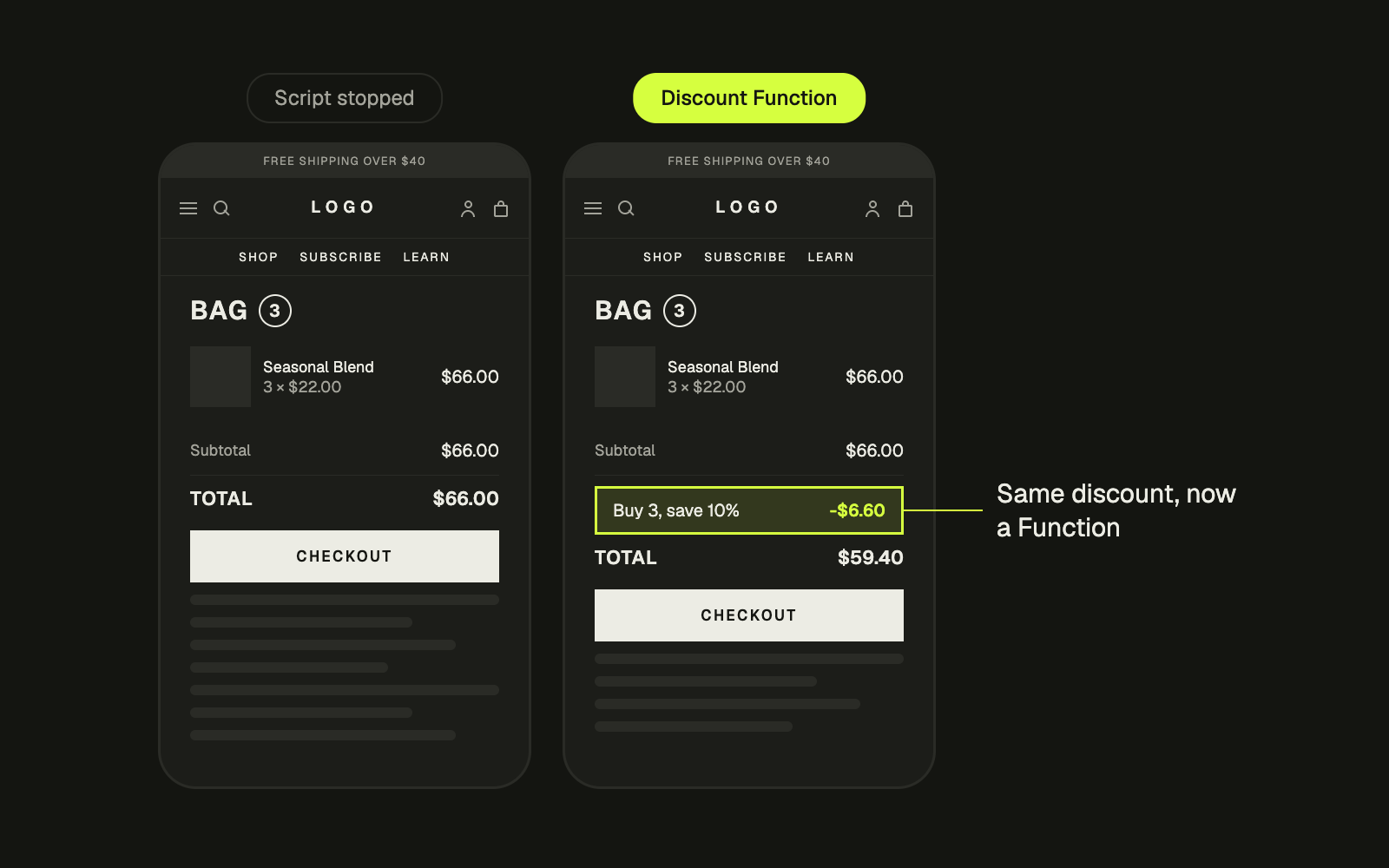
Shopify Scripts were deprecated on 30 June 2026, so every store that used them now has to migrate Shopify Scripts to Functions. (Shopify changelog) Shopify’s help page puts it plainly: Scripts and the Script Editor app were retired on that date and no longer run on any store. If your store used line item, shipping or payment scripts, that logic is gone from checkout until something replaces it. The replacement is Shopify Functions. (Shopify Help Center)
There are three ways to replace a script: a setting Shopify now has natively, an App Store app built on Functions, or a custom Function written for your store. Start with the first one that does the job.
Shopify Scripts to Shopify Functions: what replaces each script
- Line item scripts (discounts, tiered prices, free gifts): discount Functions.
- Shipping scripts (hiding, renaming or reordering delivery options): delivery customisation Functions. Shipping discounts move to discount Functions.
- Payment scripts (hiding, renaming or reordering payment methods): payment customisation Functions.
How to migrate Shopify Scripts to Functions
Shopify built a page for this in your admin, the Shopify Scripts customizations report. (Shopify Help Center)
- In your Shopify admin, go to Apps, then Script Editor, and click Replace Shopify Scripts in the banner.
- Read the report. It lists your customizations in three sections: Payment gateways, Shipping and Product discounts. Export it as a CSV so you have a copy of what each script did.
- Decide which customizations you still need. Some scripts were written for a promotion that ended years ago.
- For each one you keep, follow the report’s links: recommended apps built on Functions, or the Shopify Functions tutorial for that kind of logic.
- Test every replacement on a development store or a duplicate theme before customers see it.
One detail from the same page: a custom Functions app is not created in the Shopify admin. It is built in the Dev Dashboard and then connected to your store.
Migrating line item, shipping and payment scripts
Line item scripts. Most were discounts: buy 3 save 10%, tiered prices by quantity, a free gift over a cart value. Check whether Shopify’s built in discounts already cover it before building anything. What is left becomes a discount Function.
Shipping scripts. These hid, renamed or reordered delivery options, for example hiding express shipping for heavy carts or for PO Box addresses. That logic moves to a delivery customisation Function. If you blocked PO Boxes this way, see how to block PO Box addresses at Shopify checkout.
Payment scripts. These hid or reordered payment methods, for example no cash on delivery above a certain order value. That logic moves to a payment customisation Function.
App Store app or custom Function?
Stores on any plan can use App Store apps that contain Functions. Custom apps that contain Functions are different: Shopify only allows them on Shopify Plus. Scripts were a Plus feature too, so a store that ran scripts can usually run a custom Function.
An app is the cheaper route when your script did something common, like a volume discount. A custom Function makes sense when the rule is specific to how you sell: price tiers that depend on your own customer tags, or delivery and payment rules that read your metafields.
How I handle a migration
- You send me the Scripts customizations report CSV, the script code if you kept a copy, or a plain description of what each script did.
- I map every script to a native setting, an App Store app or a custom Function, and tell you which is which.
- If anything needs building, I write the scope and fix the price before I start.
- I write the Functions and review every change before it reaches your store.
If an App Store app covers a script, I will say so, and you will not need me for that part. Send me what your scripts did and you get a straight answer on each one.