Theme development · · 3 min read
Sticky add to cart hidden behind an app widget on mobile
On mobile, chat, loyalty and accessibility widgets can sit on top of the sticky add to cart. How to spot the overlap in two minutes and how to fix it.
By Nikita Ahapov · Updated
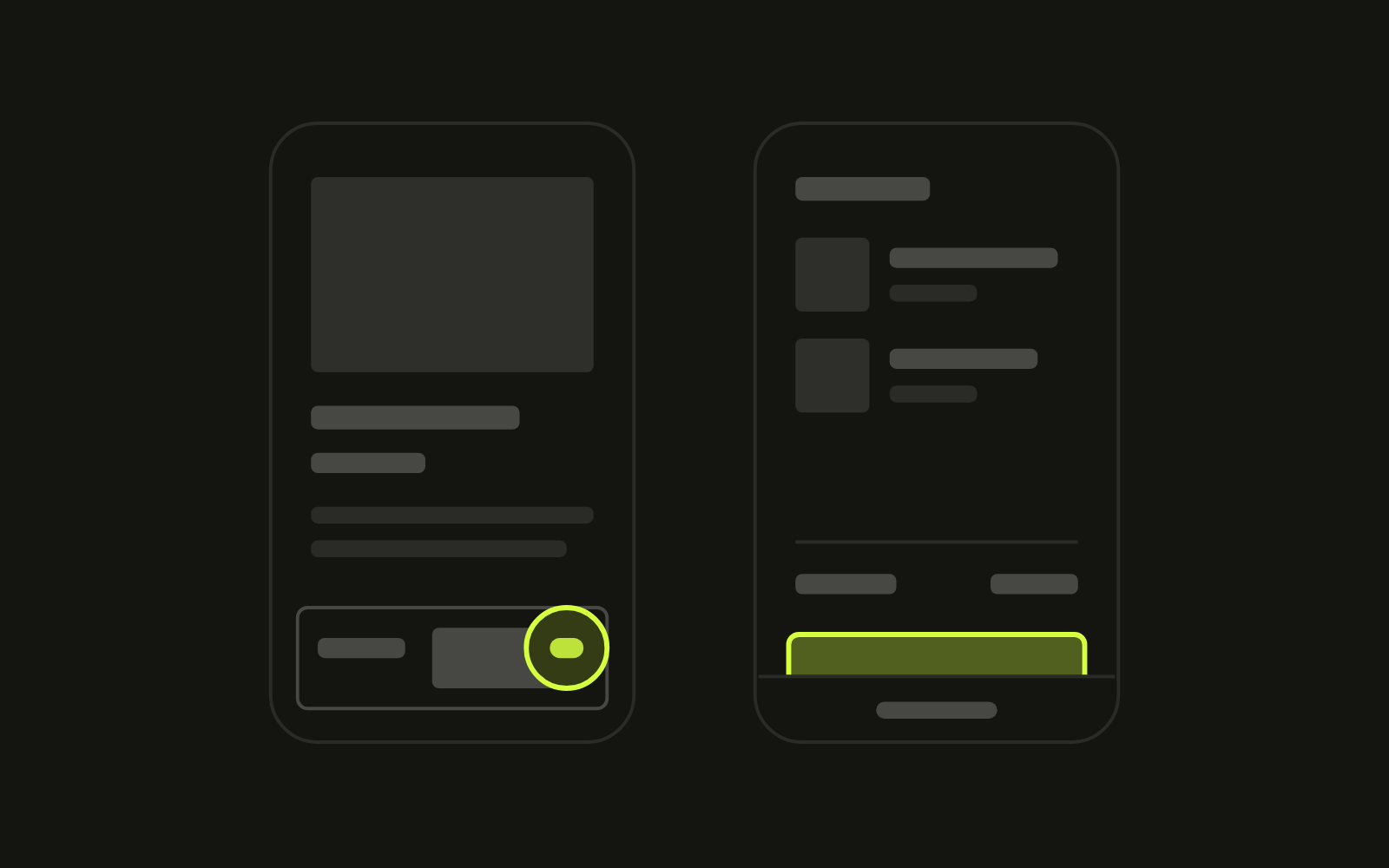
Loyalty widgets are great. Accessibility widgets are great. But one of my favourite bugs comes from putting them on the same page as a sticky add to cart, and a lot of stores never notice it.
Above the fold everything looks fine. Then you scroll past the buy box, the sticky add to cart slides in at the bottom of the screen, and the round app button in the corner sits right on top of it.
It is a small detail. But a shopper who taps, misses, and opens a chat window instead does not send you a bug report. They close the tab. And you are left wondering why people land on your product page and do not buy.
Why the overlap happens
Two parts of your store want the same corner, and neither knows the other exists.
- The sticky add to cart belongs to your theme. On mobile it is pinned to the bottom of the screen and usually spans the full width.
- The app widget comes from an app embed. Shopify describes app embeds as “app-provided elements that float or display as an overlay in your theme.” (Shopify Help Center) The chat, loyalty and accessibility buttons I see on product pages usually sit in a bottom corner.
The app decides where its button goes. The theme decides where the bar goes. Nobody checks the combination, because each one looks fine on its own and desktop has room for both.
There is an accessibility side too. WCAG 2.2 asks for pointer targets of at least 24 by 24 CSS pixels, or enough spacing from the targets around them. (W3C) A floating button parked on the edge of your add to cart works against that. The irony is that the accessibility widget can be the thing in the way.
The cart drawer has the same problem
While you have your phone out, open the cart drawer. Is the checkout button fully visible?
On many phones the bottom of the screen is not all usable. Browsers expose this as env(safe-area-inset-bottom), the distance from the bottom edge where content is safe from being cut off by the shape of the display or by toolbars. (MDN) If the drawer ignores it, the checkout button can end up partly under the browser bar.
How to check your store in two minutes
Do this on a real phone, not only in desktop dev tools. Chrome’s own documentation calls device mode “a first-order approximation” and says that when in doubt, run the page on a mobile device. (Chrome for Developers)
- Open a product page on your phone.
- Scroll past the buy box until the sticky add to cart appears.
- Look at the bottom right and bottom left corners. Is anything sitting on the bar?
- Tap the add to cart near its edges, not only in the centre. Does it add the product every time?
- Add a product and open the cart drawer. Check that the checkout button is fully visible and nothing floats over it.
How to fix it
Start with the app. Look in its settings for the button position or offset, sometimes set separately for mobile. Moving the button up above the height of the sticky bar is often all it takes.
If there is no setting, ask whether the widget needs to be on product pages at all. You can switch an app embed off under Online Store, Edit theme, App embeds. (Shopify Help Center) A chat button nobody uses is not worth a blocked buy button. If you remove an app, make sure it is really gone. Here is why apps can keep loading after you turn them off.
In the theme, three changes stop it coming back:
- Reserve the space. When the sticky bar is visible, move floating widgets above it instead of letting them sit on top.
- Respect the safe area. Add
env(safe-area-inset-bottom)padding to the sticky bar and to the cart drawer footer, so neither slides under the browser bar. - Get out of the way. Hide the sticky bar while the cart drawer is open, so it never covers the checkout button.
Then test again on a phone after every new app you install.
What I do
When I review a product page, I scroll past the buy box on a real phone and look at the bottom corners. It takes ten seconds. If something overlaps, I note which app causes it, change its settings where I can, and adjust the theme where I cannot, on a duplicate theme first.
Want me to check yours? Send me your store and I will tell you what is sitting on top of your buy button.