Analytics & CRO · · 3 min read
Shopify product page tabs vs everything open
Tabs make a product page look shorter, but shoppers miss what sits behind them, reviews included. What Baymard found and what I use instead on Shopify.
By Nikita Ahapov · Updated
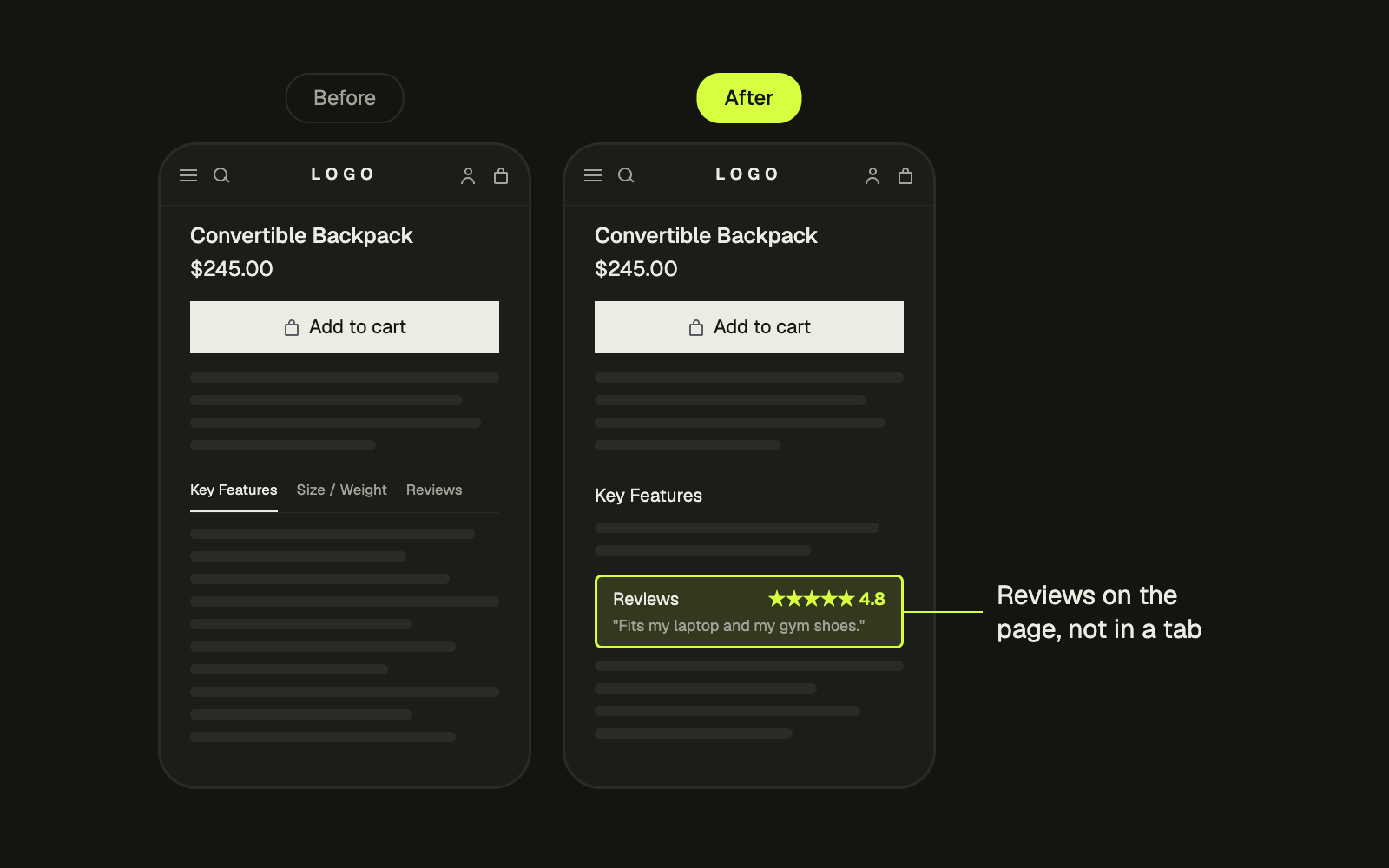
A designer pushed back on me recently. She looked at two product pages, one with tabs and one with everything open, and said the tabbed version looked better optimised. Shorter page, Add to Cart higher up.
She was right about the problem. Wrong about the fix.
The problem with tabs
Horizontal tabs put Description, Specs, Shipping and Reviews side by side, and only one is open at a time. The page looks tidy. The trouble is everything in the other tabs.
Baymard has tested this pattern for years. Their conclusion is blunt: product page tabs have performed poorly over many years of large scale testing, and their latest testing confirms it. Yet 29% of sites still use them. (Baymard)
The examples in that article are the ones that should worry you. One participant was looking for reviews, scanned up and down the page twice, and still did not notice the reviews tab. Another reached the bottom of a mobile product page and asked where the reviews had gone.
If people cannot find your reviews, you do not have reviews. The same goes for sizing, materials and shipping. The content is there. The shopper just never sees it, and some of them leave because they think it is missing.
Why tabs feel like the right answer
The designer’s concern is real. A longer page pushes the buy button further away from the content that convinces people. Tabs fix that by hiding things.
So tabs fix the layout and break findability. That is a bad trade on the page that is supposed to answer every question before someone buys.
It is also worth knowing that Baymard did not find long pages to be the obstacle people expect. On desktop, long scrolling product pages have not been observed as a major obstacle to finding content in their testing. When pages do feel too long, it is often secondary content like ads and cross sells doing it, not the product information.
How to check your own store
- Open your product page on your phone and on desktop. Count how many sections sit behind a tab.
- Open your heatmap or session recording tool. Count how many visitors ever click the second tab, and the reviews tab in particular.
- Check your scroll depth. How far down do people actually get, and is the buy button reachable from there?
- Watch a few recordings of people who did not buy. Look for the moment they scroll looking for something and give up.
If almost nobody clicks a tab, the content behind it is invisible to almost everybody.
How to fix it
Baymard’s recommendation is to replace tabs with sections laid out vertically. On desktop, expanded sections, so shoppers find everything by scrolling. On mobile, collapsed sections for longer pages, or expanded sections when the page is short enough. One site in their article pairs open sections with a sticky table of contents at the top of the screen, so shoppers can still jump to reviews in one tap.
Then deal with the distance to the buy button separately. That is what a sticky add to cart is for. It fixes the distance and hides nothing. Just make sure no app widget sits on top of it on mobile. I wrote about that exact overlap last week.
The answer is not a shorter page. It is a page where nothing is hidden sideways, and the buy button is always one tap away.
What I do
On a product page rebuild I move the key facts next to Add to Cart, turn tabs into vertical sections, keep reviews visible on the page instead of behind a click, and add a sticky add to cart that follows the shopper down. Then I test it against the old layout on the store’s own traffic, because your customers decide, not my opinion and not the designer’s.
If your product page still runs on tabs, send it to me and I will tell you what I would change first. You can see more of my product page work on the work page.