Analytics & CRO · · 3 min read
Shopify A/B testing: native experiments with Rollouts
Shopify A/B testing is now built in. How Rollouts experiments work for themes and checkout, which plan you need, what the results show and where they stop.
By Nikita Ahapov · Updated
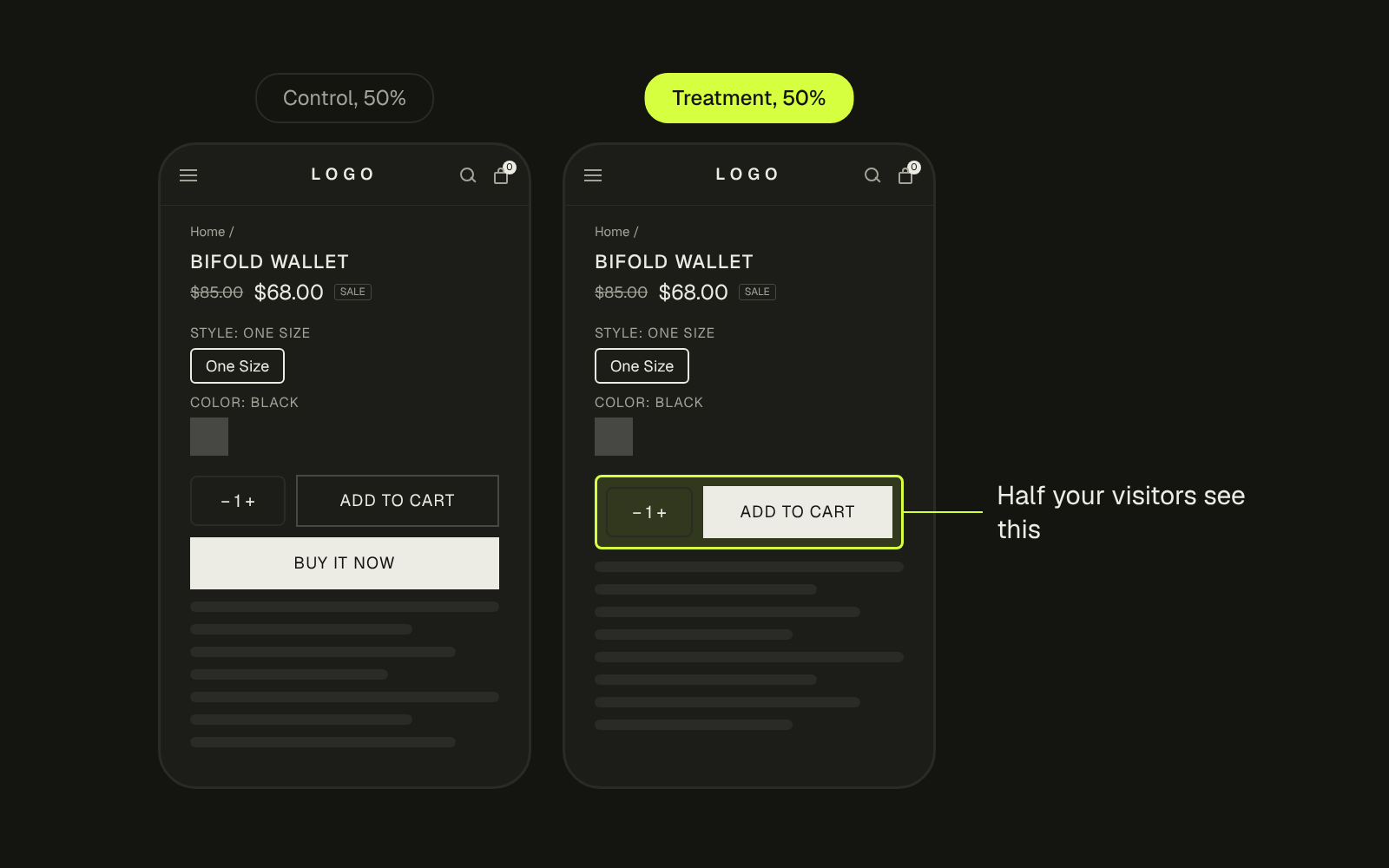
Shopify A/B testing used to mean a third party app. Now it is in the admin. Rollouts lets you test a theme change, a checkout setup or a discount against your live store with real traffic, and you find it under Markets, Rollouts. (Shopify changelog)
Most stores I look at still publish changes to everyone at once and then compare this week with last week. That is not a test. Traffic, ads and the weather all moved too.
Does Shopify have A/B testing?
Yes. Rollouts has three types, and only one of them is a test.
- Launch applies your changes to all eligible visitors and merges them into your store permanently.
- Event publishes changes for a set period, then rolls them back when it ends. Useful for a sale.
- Experiment shows your changes to a share of visitors and compares that treatment against a control.
A new Experiment starts at 50% control and 50% treatment, and you can change the split before you save it. It ends 90 days after it starts unless you set another date. (Rollout types, Creating a rollout)
One thing to check first: Rollouts is available on the Basic plan or higher, but Experiments need the Grow plan or higher. (Requirements)
Why guessing was the default
Until now a test on Shopify meant one more third party tool on top of your theme. So most merchants skipped it and trusted a redesign.
Rollouts is built into the storefront itself. Shopify puts each visitor in a group before the page loads, so the page does not flicker between versions, and keeps them there with a cookie, so a returning shopper sees the same version. (Rollout analytics)
Shopify theme A/B test: what you can change
A rollout can hold one theme change, one checkout and accounts change and one discount change, plus catalog changes. For the theme you either edit your main theme in the theme editor or replace it with another theme already in your store. Only a replacement theme supports theme content changes. (Rollout types)
The limits matter more than the features:
- You cannot change Liquid templates as part of a rollout.
- You cannot apply rollouts to vintage themes.
- Experiments apply only to your online store, so headless storefronts are out.
So a test of new copy, a different button setup or a reordered product page fits. A rebuilt section with new code goes on a duplicate theme, which you then test as the replacement.
What the results show, and what they do not
For a theme Experiment the report shows conversion rate over time, bounce rate, reached checkout rate and add to cart rate. A checkout Experiment shows checkout conversion rate only. Bot traffic is not counted, which matters for the same reason it does in your normal conversion rate.
The help page is honest about the gaps. You cannot customise metrics or filter results by device or country. Only visitors who consent are counted. And sessions can include people who never saw the change, for example someone who never opened the product you edited. (Rollout analytics)
That last one is why I test pages people actually reach. A change on a product almost nobody visits will drown in sessions that never saw it.
How to run your first experiment
- Pick one change and write down what you expect it to move, for example add to cart rate on product pages.
- In the admin go to Markets, Rollouts and create a rollout.
- In the rollout type menu, select Experiment.
- Add your change: click Edit theme to adjust the current theme, or choose a theme under Replace the current theme.
- In the Audience section, click the Traffic split percentage and keep 50/50 unless you have a reason not to.
- Let it run. Do not stop it the day the numbers look good.
- To finish, open the rollout and click End, then choose Roll back changes or Apply changes. Applied changes cannot be reverted.
What I do
I start with the arguments a team keeps having. Tabs or open content on the product page is a good one, and I wrote about why I lean towards open content. Now nobody has to win that argument in a meeting. Put it in an Experiment and let shoppers decide.
I keep one change per test, run it across full weeks so weekdays and weekends both count, and only then apply the winner. If the change needs new code, I build it on a duplicate theme first and test that.
Want help picking what to test first, or building the version worth testing? Send me your store.